Your first meeting
You upload the recording and you get the transcript back.
-
1
Create your workspace
Sign in and pick Create workspace. A workspace holds your meetings and the people who may read them.
-
2
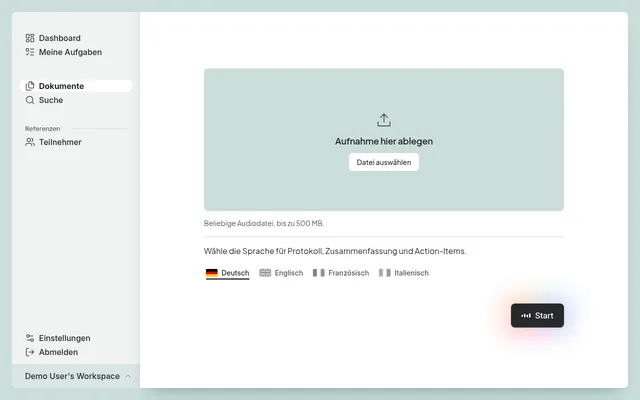
Upload a recording
Open New document and drop in the audio file of your meeting. One recording makes one document.
-
3
Let readme work
readme writes the transcript, the summary, and the analyses. You can close the tab, because we email you the moment it is ready.
-
4
Check it and finish
Read the result, correct the names and the title, and press Finish. The document then stands for everyone in the workspace.